Use the Screen Layout tab of the Customize dialog to define which 10 of 44 possible screen formats are available for each modality or modality and body part, and which is the default. You can also use it to define the default study view mode, series view mode, and series treatment options, and the default scope for window level, magnification, and cine.
To define screen layout defaults
If setting preferences for other users, impersonate the user or role.
Press F12 or, from the Image area top toolbar, click Customize.

In the Customize dialog, switch to the Screen Layout tab.
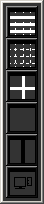
A floating screen formats palette appears to the left of the Customize dialog. (See example image at right.)
If necessary, change the Modality and Body Part (if available) to customize.
To change the screen formats available for the selected modality, do the following:
If the screen format palette already contains the maximum number of formats (10 formats) and you want to add others, drag one or more that are no longer needed off the palette.
To add a format, drag it from the Customize dialog to the screen formats palette. Repeat as needed (up to 10 formats).
The screen format at the top of the palette becomes the default for that modality. To make a different format the default, drag that button from its current position to the top.
For explanations of the different screen format options, refer to Changing study screen format.
Under Screen Layout, click to set each button to the state to be used by default for this modality.
Screen Layout Option 1 Option 2 Option 3 Study view mode  Span
one screen
Span
one screen
 Span
two screens
Span
two screens  Span
All Screens
Span
All Screens Series view mode  Same
series. Not
applicable when span one screen is used.
Same
series. Not
applicable when span one screen is used. Different
series. Not
applicable when span one screen is used.
Different
series. Not
applicable when span one screen is used.n/a Series treatment  Display
series separately
Display
series separately Combine
series for display
Combine
series for displayn/a For more information about these options, refer to Displaying studies across monitors, Displaying series across monitors, and Combining series temporarily.
Click Apply.
Repeat steps 4–7 for other modalities.
or
Use the Copy and Paste buttons to copy screen layout options from one modality to another.
To save the changes and close the Customize dialog, click OK.