To ensure diagnostic image quality, monitors must be tested for contrast, resolution, artifacts, and noise. Specialized monitors such as Dome have their own calibration systems, but you should also test standard monitors. Do this by importing DICOM SMPTE (Society of Motion Picture and Television Engineers) test pattern images and using them to assess display problems.
To prepare test images
Acquire an appropriate set of DICOM SMPTE images.
Sample images are available from the American Association of Physicists in Medicine (AAPM).
Import them into IMPAX from CD.
Do this by running a search with CD-ROM selected as the search location.
Create a standard worklist that gathers these test images.
The criteria might be all studies where the patient name contains SMPTE or contains AAPM.
Prepare a set of test procedures based on what the images are meant to assess.
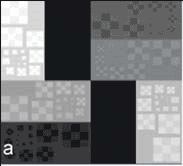
Assess items such as whether 5% and 95% SMPTE patches are visible, the image geometry is square, text is sharp, the images are flickering, and so on.
Sample test image, used to assess monitor sharpness, noise, and contrast
To display test images
Add the test image worklist to the List area.
In the Image area, use the images to follow your test procedures.

Tip:
Because of luminance degradation, some CRTs have a shelf life of only two to three years. LCDs may offer improved luminance stability and constant sharpness.