The At-a-Glance area in the List area of the IMPAX Client serves two main purposes. Your site may use it to communicate information about upgrades, holidays, company news, and so on. Scheduled worklists are also displayed, both for today and upcoming dates.
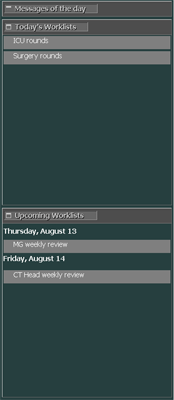
When updated with new information, the At-a-Glance area appears open by default. You can also display or hide this information as needed.
To view the At-a-Glance area
In the List area, click the Date menu.


The At-a-Glance message box is displayed.
To hide the At-a-Glance area, click the Date menu again.
