The Standard Text catalog (highlighted by the red box in the following image) provides access to some typical text-related functions for reports and addenda. To have more space for the report information, you can hide the Standard Text catalog if not required.
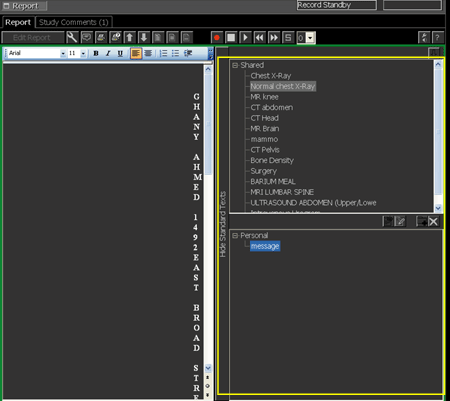
To show and hide the Standard Text catalog
To hide the Standard Text catalog, click Hide Standard Texts.
The bar moves to the right and the Standard Text catalog is hidden. The Standard Text catalog remains hidden for subsequent sessions until opened.
In the Report panel of the Text area, click Show Standard Texts.
The bar moves to the left and the Standard Text catalog is displayed. The Standard Text catalog remains open for subsequent sessions until closed.
Required permissions
Study-based: Dictate Studies as Radiologist or Dictate Studies as Resident operation