To connect to a domain controller outside of the IMPAX cluster, you must install Certificate Services on the domain controller.
To install Certificate Services on a domain controller with Windows Server 2008
Select Start > Administrative Tools > Internet Information (IIS) Manager.
The Internet Information Services (IIS) Manager is displayed.
In the left pane, under Connections, select the server where you want the certificate installed.
In the center pane, under Feature Name, double-click Server Certificates
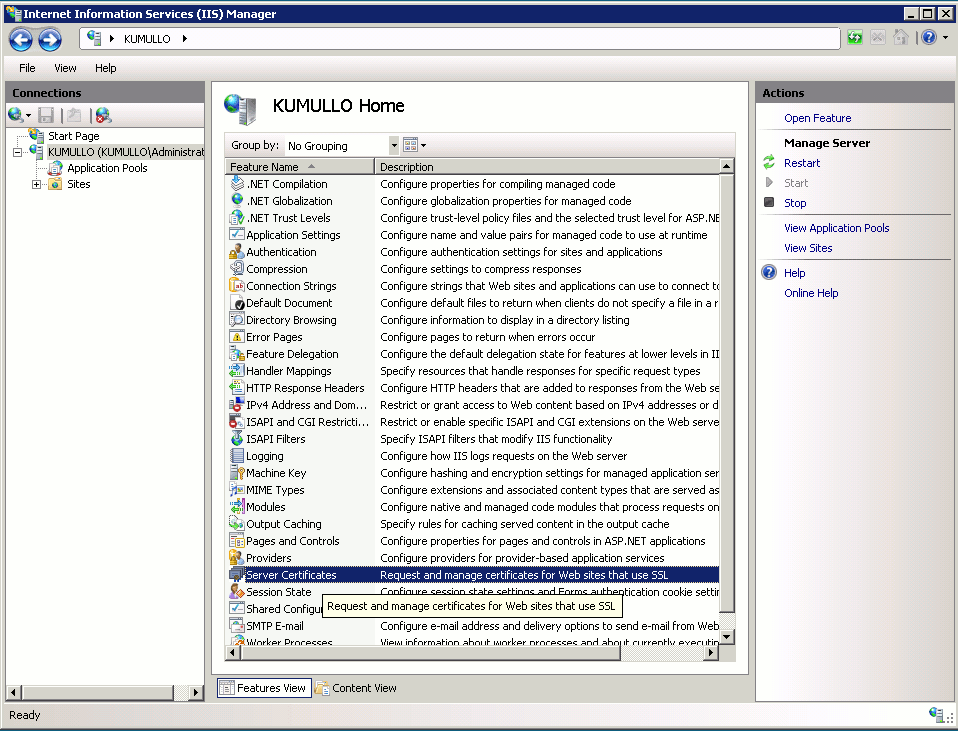
In the right pane, under Actions, click Complete Certificate Request.
In the Complete Certificate Request dialog, click the browse button
 to search for the certificate file you want to install.
The Open dialog is displayed.
In the Open dialog, find the extensions dropdown list, just above the Open and Cancel buttons, and select *.* so that all file extensions are visible.
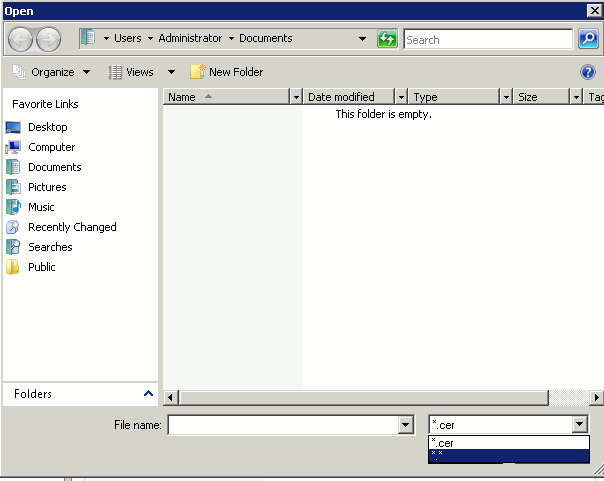
Navigate to the new certficate file and click OK.
The new certificate appears in the list of certificates.