Service and administrative personnel use the Administration Tools to set up, configure, and manage the IMPAX Server products. Use the Administration Tools to set up the specified server and to connect it to the rest of the enterprise.
How is Administration Tools information used?
Server configuration and system maintenance activities are handled through the Administration Tools interface.
The server database stores the configuration information, and applies it to system and end user requests.
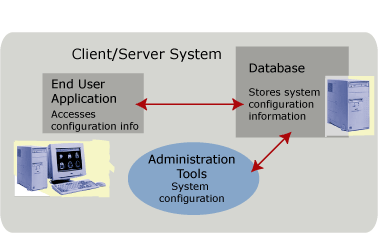
The Administration Tools can be accessed directly on the server or remotely through a browser. Some functionality must be performed on the local machine (for example, adding a cache).
Administration Tools can be installed on more than one server in a cluster, but only one instance should be run at a time. Disable the other Administration Tools services.
Administration Tools activities are handled by different managers. Some managers are used by all servers, while others are used exclusively by one type of server to perform a specific configuration.
The Administration Tools also contain system monitoring functions to ensure that the system runs smoothly.
The Administration Tools are DICOM compliant.