Demographic layouts define what study information appears around the images, and where it is located. As required, you can modify existing print and display layouts.
To modify a demographic layout
On the Setup tab, click Source Manager.

Switch to the Other tab.
Click Demographic Layout Manager.

In the Manager Dialog, in the Modality list, select the layout to edit.
Click Display
 or Print.
To add a new field to the layout:
In the DICOM Fields for <Modality> list, select the DICOM field to add.
Under the Display and Print buttons, select the blank field where you want to place the DICOM field.
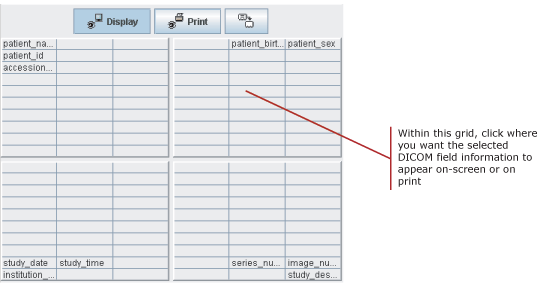
To remove a field from the layout:
In the DICOM Fields for <Modality> list, select <EMPTY> .
Under the Display and Print buttons, click the field to clear.
Repeat the previous two steps as required.
Click Save Layout.

 | Tip: In multiple IMPAX cluster configurations, we recommend having the same demographic layouts for both print and display in all linked clusters. |
Required permissions
Administration Tools: Demographic Layout Manager > View operation
Administration Tools: Source Manager > View operation