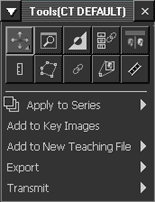
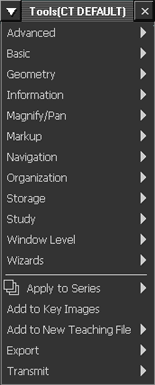
The Image area's context toolbar can be displayed in one of two modes: as a customizable menu of buttons or as a comprehensive text menu. Most commonly, button mode is used by default, but you can use the Customize dialog to change the default mode to be the text menu instead.
To the default display of the context toolbar
If setting preferences for other users, impersonate the user or role.
Press F12 or, from the Image area top toolbar, click Customize.

In the Customize dialog, switch to the User Profile tab.
To display the text menu when right-clicking in the Image area, select the Right mouse click shows text menu checkbox.
To save the change and close the dialog, click OK.
The text-based menu now appears on right-click in the Image area. Ctrl + right-click displays the button menu.
Context toolbar in button mode |
Context toolbar in text mode |
 |
 |