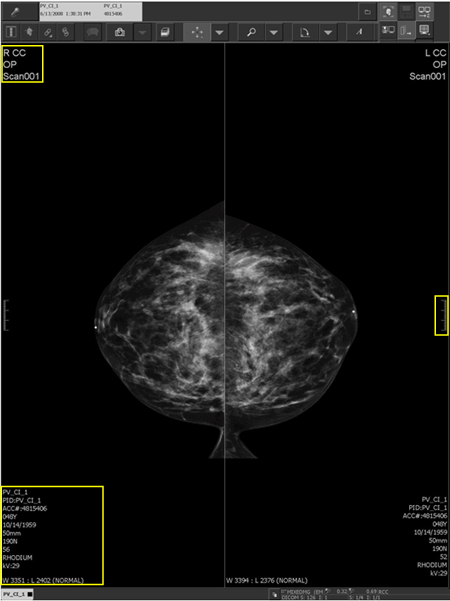
A 3 cm scale (highlighted by the yellow rectangle on the right side of the image) on the non-chest wall side of all breast images is visible to indicate the physical size of the displayed image. It helps to provide a visual clue to the general size of the features in the image. You can show or hide the ruler, along with the demographics.
When breast imaging demographics are configured on the left-hand side of the Demographic Layout Manager in the IMPAX Administration Tools (highlighted by the two yellow rectangles on the left side of the image), the demographics flip when displayed or printed so they always appear on the non-chest wall side. The laterality and view_position information appear in larger fonts and accurately reflect the ACR defined view, with complete and accurate view modifiers.
It is not uncommon for a study to be performed initially by one technologist on a modality and then have additional views performed by another technologist, possibly in a different room on a different modality. IMPAX 6.5.1 displays the unique station name and operator name per mammography image.
The font size of mammography demographics can be changed manually. Contact your Agfa Service representative to change the font size.
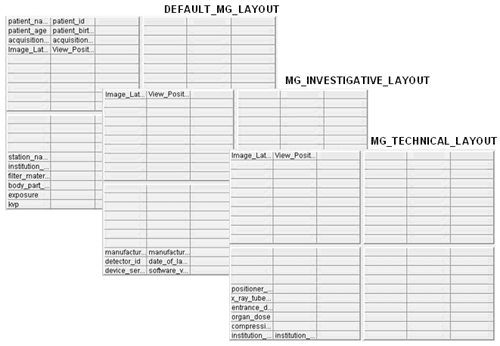
Three preconfigured demographic layouts are available for display; a default layout meant to contain Clinical information relating to the patient, a Technical layout for image acquisition information, and an Investigative layout for modality information. The Demographics Toggle allows all demographic information displayed to be toggled off and on. Use the Demographics Layout Toggle button to toggle between the Clinical, Technical, and Investigative layouts.
The DEFAULT_MG_LAYOUT can be copied, renamed, edited and saved to customize the demographics information. The MG_INVESTIGATIVE_LAYOUT and the MG_TECHNICAL_LAYOUT can be edited and saved directly and can be copied and renamed for use with other modalities. In other words, the MG_INVESTIGATIVE_LAYOUT could be copied and renamed CT_INVESTIGATIVE_LAYOUT and used with the Demographics Layout Toggle.
 | CAUTION! We do not advise turning off all patient demographics in the Image area. Configuring the Client so no patient demographics are immediately visible in the Image area introduces a risk of misidentifying a patient. |
Breast imaging demographics example
Laying out breast imaging demographics in the Demographic Layout Manager example