As on a website, you can locate Knowledge Base topics by selecting links on the topic pages, and by using browser options. For example:
To view related topics, click links within the procedure or under the See also heading.
To view main section pages, click links in the Parent trail at the top.
To return to the previously viewed topic, click the web browser’s Back button or press Backspace.
To move forward again after returning to previously viewed topics, click the web browser’s Forward button or press Alt + Right Arrow.
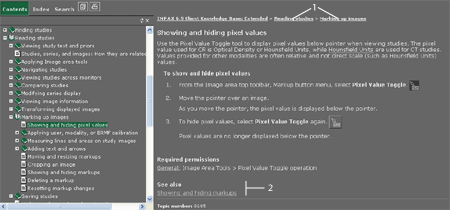
1 - Parent trail
2 - Links to related topics