To give feedback on the Knowledge Base
Open the Knowledge Base.
Click Email feedback on this document.

A new browser window opens with instructions for contacting the group responsible for this product’s online Knowledge Base.
Email your comments or concerns, providing as much information about the topic in question as possible.
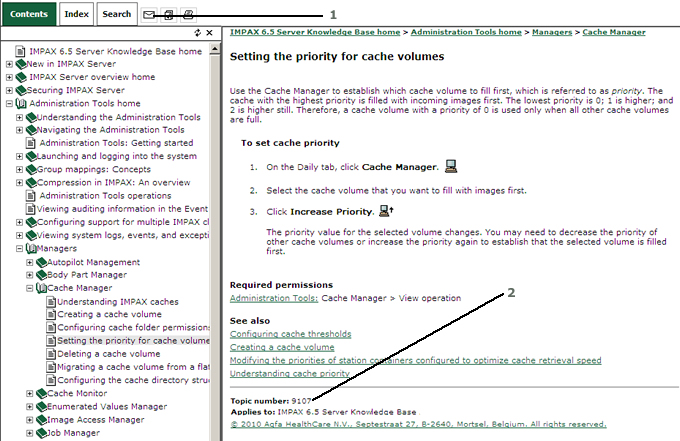
1 - Email feedback on this document button
2 - Copy and paste this topic number into the body of your email