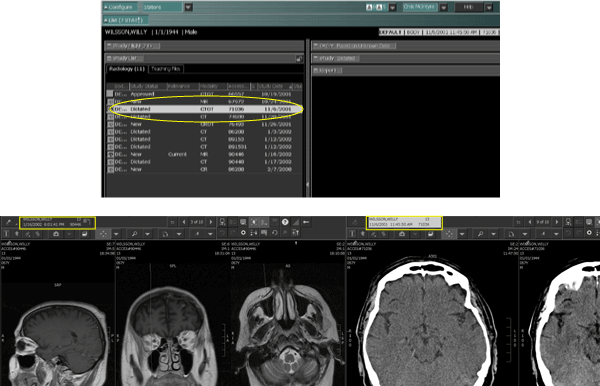
The Study List in the Text area lists all studies known to IMPAX for a particular patient. Using the Study List, you can display Text area information from a prior study rather than from the study currently displayed in the Image area.
IMPAX gives a visual indicator as to whether the information displayed in the Text area matches the study displayed in the Image area. When the Image area and Text area studies match, the study information panel is highlighted in both the Image area top toolbar and in the top right of the Text area bar.
Determining when the Text area and Image area not synchronized
When the Text area displays information about a study that is not currently displayed in the Image area, a gray bar (highlighted in the first image below) indicates that the Text area is not synchronized with the Image area. In the Image area, note that the study information panel for both studies is not highlighted.
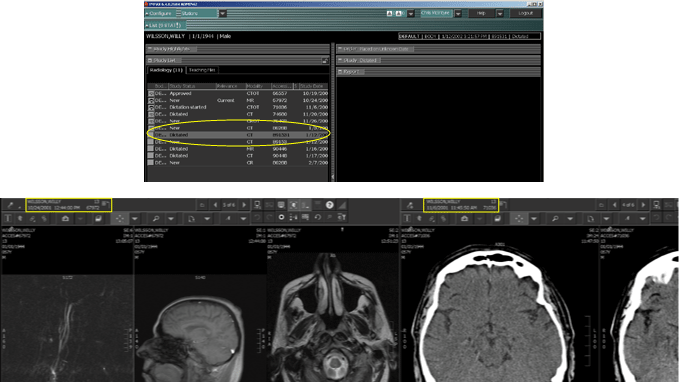
Determining when the Text area and Image area synchronized
When the Text area displays information about a study that is currently displayed in the Image area, the study is highlighted in white (highlighted in the first image below) to indicate that the Text area is synchronized with the Image area. In the Image area, the study information panel for the synchronized study is highlighted in white (illustrated on the left side of the second image below) and the not synchronized study is not highlighted (illustrated on the right side of the second image below).
 | Note: A study highlighted with a black bar indicates that the study has the same order number as the synchronized study. |
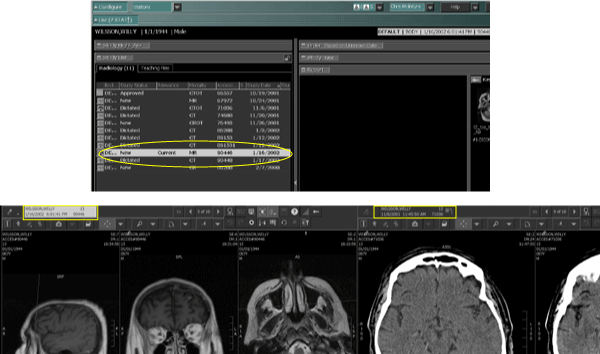
If you click the study information panel of the second study, the Text area updates to display information about that study.