IMPAX 6.5.1 Application Server Knowledge Base > Configuring and administering Active Directory authentication (ADAM) > Administering ADAM and AD LDS > Configuring granular logging for critical ADAM events

Setting the maximum ADAM event log size

By default, the ADAM event log is capped at a maximum size of 512 KB. This is insufficient for logging events in detail. If an issue generates several events, the history of the event will be overwritten. Therefore, you should increase the maximum size of the event log to 16 MB (16,384 KB).

To set the maximum ADAM event log size

  1. On the Windows 2003 Application Server, open the Event Viewer.

  2. Right-click the ADAM (AgfaHealthcare) log target and select Properties

  3. Under Log size, set the maximum log size to 16,384 KB.
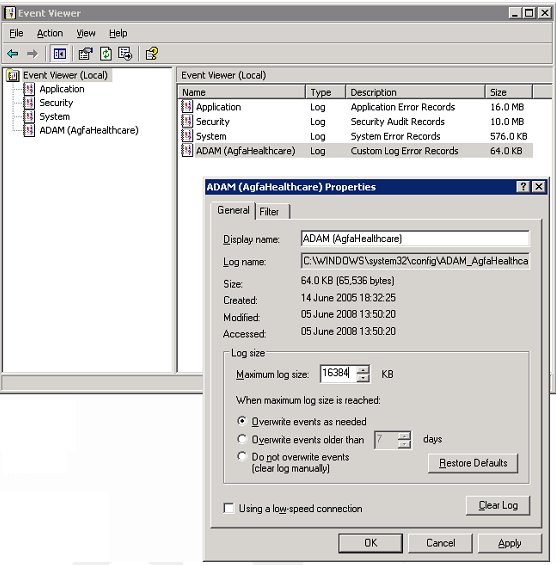
  4. Click Apply.

  5. Click OK.

The event log size is now sufficient to contain detailed event logging.


See also


Topic number: 113430

Applies to: IMPAX 6.5.1 Application Server Knowledge Base