Ensure that replication is synchronized between Application Servers in the cluster.
To verify that replication is synchronized
On the Windows 2003 or Windows 2008 Application Server, open a command prompt.
On servers running Windows 2003, change to the C:\Windows\ADAM directory.

Note:
On servers running Windows 2008, skip this step.
Write down the current system time.
At the command prompt, type
repadmin /showrepl localhost:389
The following information is displayed:
Three ADAM branches - shown in blue.
Replication partners (other Application Servers)—shown in red.
The last time a replication event was received—shown in green.
The replication result - shown in orange
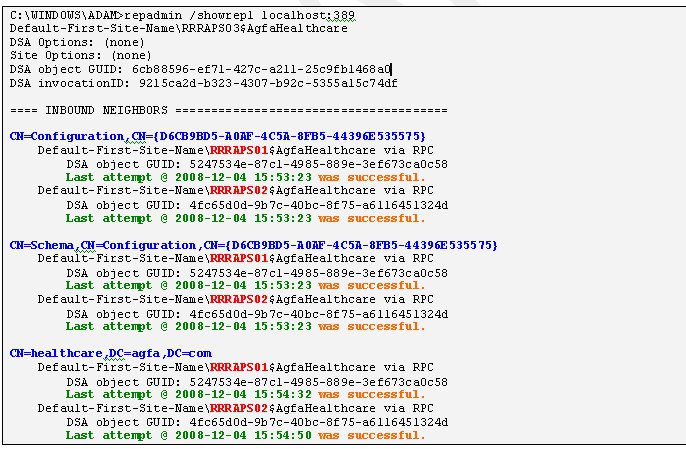
Verify that
For each branch, one entry appears for each replication partner (Application Server).
All replication events occurred within the last minute.
All replication events were successful.